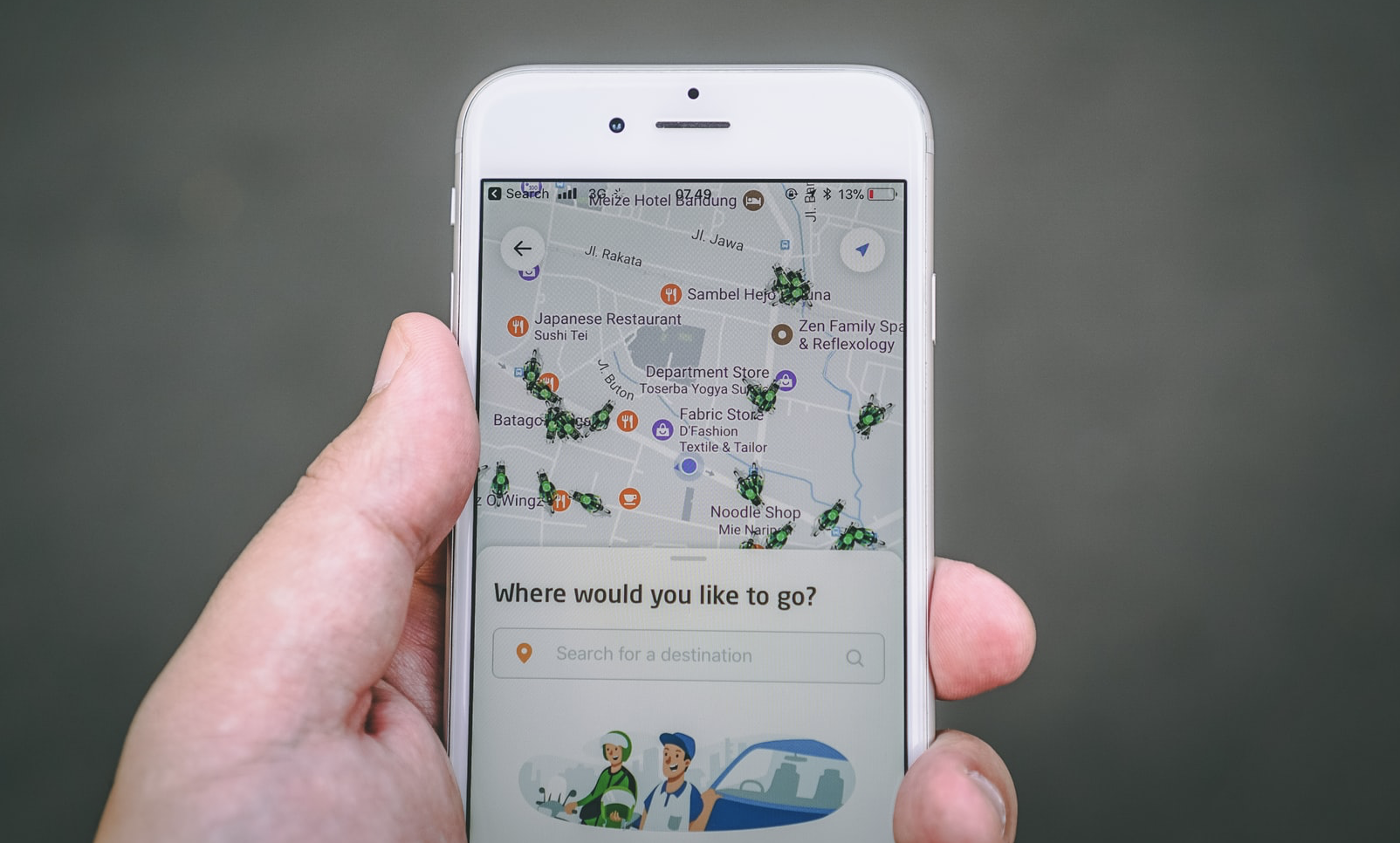
Travel Smarter with These Essential Apps
Over the past several years, I've used many of these apps on different trips, from short city breaks to longer international travel. Some worked better than others depending on the destination and connectivity. I've had my share of app failures too - times when technology let me down or apps just didn't work as expected in certain places. I'll never forget my first international trip without a smartphone. I was in Paris, lost, holding a paper map, and struggling to ask for directions in broken French. I missed my train, got caught in the rain, and spent hours trying to find my hotel. It was a disaster. Now, with the right apps (and a healthy dose of skepticism about their limitations), my travel experiences are generally smoother. I can navigate unfamiliar cities with more confidence, communicate in foreign languages at a basic level, find some hidden gems, and occasionally save money on flights and accommodations. This guide is a compilation of the apps I've found most useful, along with personal stories and practical advice - including when they don't work as well. Whether you're a seasoned traveler or planning your first big trip, these apps can help you travel smarter, but remember they're not perfect solutions everywhere.
Flight and Accommodation Apps: Find the Best Deals
I used to spend hours scouring travel websites for the best deals on flights and hotels. With the right apps, I can now find good deals more quickly, though I still have to do some comparison shopping.
A few years ago, I was planning a trip to Tokyo. I set up a price alert on Skyscanner, and a month later, I got a notification that flights from my city to Tokyo had dropped by $300. I booked immediately, saving a significant amount on my round-trip ticket.
Here are the flight and accommodation apps I use most often, along with their limitations:
Skyscanner
Skyscanner is my go-to app for finding reasonably priced flights. I love its "Everywhere" search feature, which shows you the cheapest destinations from your city. It also has good price alerts that notify you when prices drop. This app may not work well in some regions with limited airline options, and I've noticed it sometimes misses smaller budget carriers in certain countries.
Booking.com
Booking.com is my preferred app for hotel bookings in many destinations. I've found some decent deals on hotels through this app. I also appreciate its free cancellation policy on many bookings, which gives me flexibility if my plans change. I stopped using it in some countries because the local alternatives offered better prices. In parts of Southeast Asia, for example, I often found better rates by booking directly with hotels or using local booking platforms.
Airbnb
For more unique accommodations, Airbnb can be useful. I've stayed in some interesting apartments and homes through Airbnb. It's also a decent option for longer stays, as many hosts offer discounts for weekly or monthly bookings. However, I've had mixed experiences. In some tourist-heavy cities, Airbnb prices are now comparable to hotels, and the fees can add up. I also avoid it in places where local regulations have made it less reliable.
My Tip: Use multiple apps to compare prices. I often find different rates for the same hotel on different booking platforms. It pays to shop around!
Navigation Apps: Never Get Lost Again
Navigation apps are very helpful for me, especially when traveling to unfamiliar destinations. I've used them to navigate many places, from busy city streets to country roads, though with varying degrees of success. Last year, I was traveling in Iceland and got caught in a snowstorm. My GPS was unreliable, and Google Maps had its limitations too, but it helped me find a safer route. It was definitely better than having nothing. Here are the navigation apps I use, along with their limitations:
Google Maps
Google Maps is my primary navigation app. It's generally accurate, offers real-time traffic updates in many places, and provides public transportation information for most major cities. I also find its Street View feature helpful for previewing destinations before I arrive. This app may not work well in remote areas with limited connectivity, and I've found its public transportation information can be outdated or incomplete in some smaller cities.
Maps.me
Maps.me is my backup navigation app. It allows you to download entire country maps for offline use, which is helpful when traveling to areas with limited internet access. I used it during a trip to rural Vietnam, where cell service was spotty at best. However, I've found that Maps.me can be less accurate than Google Maps in some areas, and its points of interest database isn't always up to date. I stopped using it as my primary app in countries where Google Maps coverage is better.
Citymapper
For city travel in certain places, Citymapper can be very helpful. It provides public transportation information, including real-time arrival times and directions in supported cities. I used it during a stay in Tokyo, and it helped with navigating the subway system. This app only works well in select major cities that it supports. I've found it's not available or not useful in many smaller cities and towns around the world.
My Tip: Download offline maps before your trip. Even if you have a data plan, you never know when you'll lose connection, especially in remote areas or foreign countries.
Language Translation Apps: Break Down Barriers
Language barriers can be frustrating when traveling internationally. Translation apps can help with basic communication, though they're far from perfect solutions. A few years ago, I was traveling in a small village in China. I wanted to try the local cuisine but couldn't read the menu. I used Google Translate's camera feature to scan the menu, and while the translations weren't perfect, they were good enough to help me order something that turned out to be delicious. Here are the translation apps I use, along with their limitations:
Google Translate
Google Translate is my go-to translation app. Its camera feature can be helpful for translating menus, signs, and other written materials. It also offers voice translation, which works for basic conversations. However, I've found that Google Translate struggles with complex sentences and idioms. It also may not work well for less common languages, and the translations can sometimes be awkward or inaccurate.
iTranslate
iTranslate is a decent alternative to Google Translate. It offers offline translation for over 40 languages, which can be helpful when traveling without internet access. I also find its phrasebook feature useful for common travel phrases. I stopped using it as my primary app in some countries because the translation quality wasn't as good as Google Translate for certain languages, especially less common ones.
My Tip: Learn a few basic phrases in the local language before your trip. Even just saying "hello," "thank you," and "excuse me" can go a long way in building rapport with locals.
Currency Conversion Apps: Avoid Getting Ripped Off
Currency conversion apps can be helpful for international travel. They give you a general idea of exchange rates and can help you avoid obvious overcharging, though they're not perfect. I'll never forget the time I was in Mexico and almost paid twice the asking price for a souvenir because I didn't realize how much the local currency was worth in US dollars. Having a basic understanding of the exchange rate would have helped, and a currency app would have made it easier. Here are the currency apps I use, along with their limitations:
XE Currency
XE Currency is my preferred currency conversion app. It provides reasonably accurate exchange rates and can work offline once you've downloaded the necessary data. I also find its historical rate charts somewhat useful for understanding general trends. However, I've noticed that the rates shown in the app don't always match what you'll get at exchange bureaus or ATMs, which often charge additional fees. It's best used as a general guide rather than an exact calculator.
OANDA Currency Converter
OANDA Currency Converter is another decent option. It uses mid-market rates, which give you a good baseline understanding of exchange values. It also offers a currency dictionary that explains currency codes and symbols from around the world. Like other currency apps, the rates here don't include fees that you'll encounter in real-world exchanges. I stopped using it as my primary app because I found the interface less intuitive than XE Currency for quick conversions.
My Tip: Always check the current exchange rate before making large purchases. This will help you avoid getting ripped off by vendors who might use unfavorable rates.
Local Discovery Apps: Find Hidden Gems
One of my favorite parts of travel is discovering places that aren't overrun with tourists. Local discovery apps can sometimes help with this, though they're not a guaranteed way to find hidden gems. Last year, I was traveling in Lisbon and used Foursquare to find a small restaurant in a residential neighborhood. The food was good, and it was nice to get away from the main tourist areas, though it wasn't exactly a secret spot. Here are the local discovery apps I use, along with their limitations:
TripAdvisor
TripAdvisor can be useful for getting a general sense of popular places. It offers many reviews and recommendations for restaurants, attractions, and activities from fellow travelers. I find its "Near Me Now" feature somewhat helpful for finding options close to my current location. However, I've noticed that many highly-rated places on TripAdvisor are often touristy and can be overpriced. I also take the reviews with a grain of salt, as they can be inconsistent or misleading. It's best used as a starting point rather than the final word on what's good.
Foursquare
Foursquare can be helpful for finding some local spots that aren't in the major guidebooks. I've used it to find casual restaurants and interesting spots in different cities. It also has a check-in feature that allows you to keep track of places you've visited. This app may not work well in smaller towns or less touristy areas, where there are fewer user reviews and check-ins. I've also found that it's become less reliable over time in some regions, with outdated information about places that have closed or changed.
Atlas Obscura
For some unique attractions, Atlas Obscura can be interesting. It features unusual and off-the-beaten-path places around the world, from local oddities to more significant sites. It can be fun for travelers who want to go beyond the typical tourist sights. However, many of the places listed require significant planning to visit, and not all are accessible or worth the effort. I also find that the app's information can be sparse or outdated for some locations. It's best used for inspiration rather than detailed planning.
My Tip: Don't rely solely on apps. Ask locals for recommendations too. Some of my best travel experiences have come from tips from locals I met along the way.
Travel Itinerary Apps: Stay Organized
Keeping track of travel details can be challenging, especially for multi-city trips. Travel itinerary apps can help you organize information in one place, though they're not foolproof. A few years ago, I was traveling through Europe and had flights, trains, and hotel reservations in different countries. Using TripIt helped me stay somewhat organized, though I still had to double-check details manually. Here are the itinerary apps I use, along with their limitations:
TripIt
TripIt is my preferred itinerary app. It can help organize your travel plans into a master itinerary when you forward confirmation emails to it. It also provides flight alerts and gate information, which can be helpful for changes. However, I've found that it doesn't always correctly parse every confirmation email, especially for smaller airlines or local accommodations. I also stopped using some of its premium features because I didn't find them worth the cost. It's best used as a supplement to your own planning rather than a complete solution.
Google Trips
Google Trips is another option to consider. It pulls travel information from your Gmail account and organizes it into trips. I find its day plans feature somewhat interesting, though I don't always follow its suggestions. This app may not work well if you don't use Gmail for your travel bookings, and the suggested itineraries can be very tourist-focused. I also find that it lacks some of the customization options that TripIt offers for organizing your plans.
My Tip: Print a hard copy of your itinerary before your trip. Technology can fail, and it's always good to have a backup.
Transportation Apps: Get Around Like a Local
Getting around in a new city can be challenging. Transportation apps can provide some help, though their usefulness depends on the city and available infrastructure. Last year, I was in New York City and needed to get from Manhattan to JFK Airport. I checked a few options and found that taking the AirTrain was more affordable than a taxi and worked out well during that particular time. Here are the transportation apps I use, along with their limitations:
Uber/Lyft
For ride-sharing, Uber and Lyft can be useful in many cities. They're sometimes cheaper than taxis and offer the convenience of cashless payments. I've used them in cities like Los Angeles and Miami, where public transportation options are more limited. However, these apps may not work well in cities with strict regulations or where local ride-sharing services are preferred. I've also found that surge pricing can make them much more expensive during peak times, and in some areas, wait times can be very long.
Moovit
Moovit can be a helpful app for public transportation in certain cities. It provides arrival times, directions, and sometimes crowd levels for buses and trains. I used it during a trip to Buenos Aires, and it helped somewhat with navigating the city's bus system. However, I've found that Moovit's information is only as good as the data it receives from local transportation authorities. In cities with less developed transit systems, the information can be unreliable or unavailable. I also stopped using it in some places where the local transit app was more accurate.
Trainline
For train travel in Europe, Trainline can be a convenient option. It allows you to book train tickets across multiple countries and provides updates on delays or cancellations. I used it during a trip through Europe, and it was helpful for planning some of my journeys. However, I've found that Trainline sometimes adds booking fees that you can avoid by booking directly with the train operator. It also may not always show the full range of ticket options available, especially for local or regional trains. In some countries, I've preferred using the national rail app instead.
My Tip: Research local transportation options before your trip. In some cities, public transportation is much cheaper and more efficient than ride-sharing services.
Weather Apps: Be Prepared
Weather can significantly impact a trip, so it's good to have some idea of what to expect. Weather apps can provide general forecasts, though they're not always accurate, especially for longer periods. A few years ago, I was traveling in Iceland and checked the weather regularly. One day, the forecast suggested bad weather, so I adjusted my plans and stayed in Reykjavik instead of driving to the countryside. Later that day, the roads were closed due to the storm. Having that information was helpful, though I also relied on local advice. Here are the weather apps I use, along with their limitations:
Dark Sky
Dark Sky is my preferred weather app when it's available. It provides localized forecasts with precipitation predictions and tells you when rain might start and stop at your location. However, I've found that Dark Sky's minute-by-minute predictions aren't always accurate, especially in rapidly changing weather conditions. It's also not available in all countries, and I've had to use other apps in regions where it's not supported.
AccuWeather
AccuWeather is another weather app I use. It offers forecasts up to 15 days in advance, which can give you a general idea for trip planning. It also provides information on UV index, humidity, and wind speed. However, I've found that AccuWeather's long-term forecasts are often inaccurate. The 15-day forecast is more of a general trend indicator than a reliable prediction. I also find the app can be cluttered with ads and extra features that I don't need.
My Tip: Check the weather forecast for your destination before packing. This will help you bring the right clothing and gear for your trip.
Safety Apps: Travel with Peace of Mind
Safety is important when traveling, especially in unfamiliar destinations. Safety apps can provide some additional peace of mind, though they're not a substitute for common sense and situational awareness. A few years ago, I was traveling alone in a foreign city and felt unsure about walking back to my hotel at night. I used the bSafe app to share my location with a friend back home, which gave me some reassurance. Here are the safety apps I use, along with their limitations:
bSafe
bSafe is a personal safety app that allows you to share your location with trusted contacts. It also has an SOS button that sends an alert to your emergency contacts if you're in trouble. However, this app only works if you have a reliable internet connection, which may not be available in all situations. It also relies on your emergency contacts being available and responsive. I view it as an additional tool rather than a complete safety solution.
Smart Traveler
The Smart Traveler app from the U.S. Department of State provides travel advisories and alerts for destinations around the world. It also allows you to enroll in the Smart Traveler Enrollment Program (STEP), which can help the U.S. Embassy contact you in case of an emergency. However, this app is primarily designed for U.S. citizens, and the advisories may be more cautious than what you might need for everyday travel. I also find that the information can be somewhat general and not always specific to the areas you're actually visiting.
My Tip: Research safety conditions for your destination before your trip. The U.S. Department of State and other government websites offer valuable information on travel advisories and safety precautions.
Bonus Apps: Unexpected Lifesavers
There are a few other apps that I've found somewhat useful during my travels, even though they don't fit neatly into any of the categories above.
Google Photos
Google Photos can be helpful for backing up travel photos. It offers storage for photos and automatically organizes them by date and location. I've used it to find photos from past trips on occasion. However, the free storage is limited unless you compress your photos, and it requires an internet connection to back up photos in real-time. I also find that the automatic organization isn't always perfect for travel photos that span multiple locations.
WhatsApp is my preferred app for staying in touch with friends and family back home in many parts of the world. It uses Wi-Fi or cellular data to send messages and make calls, which can be cheaper than international roaming. I also use it to communicate with some local hosts and tour guides. This app may not work well in countries where it's blocked or not widely used. I've had to use other messaging apps in places like China, where WhatsApp isn't accessible without a VPN.
PackPoint
PackPoint can help with the basics of packing. It creates a packing list based on your destination, travel dates, and planned activities. I've used it for some trips, and it's helped me remember some items I might have otherwise forgotten. However, I've found that the packing lists can be overly generic and don't always account for personal preferences or specific trip needs. I usually end up modifying the list significantly or using it just as a starting point.
My Tip: Download apps before your trip. Some apps are large and may take a while to download, especially on slow internet connections. It's better to have them ready before you leave.
Conclusion
Travel apps have definitely changed the way I travel, though they're far from perfect solutions. They've helped me in various ways - sometimes saving money, sometimes making navigation easier, sometimes helping with basic communication, and occasionally providing peace of mind.
I've learned this through my own experiences. From my first challenging trip to Paris without a smartphone to more recent travels where apps have been helpful but not always reliable, each trip has taught me that apps are just tools, not magic solutions.
By using these apps strategically, you can potentially travel more smoothly, but remember that their usefulness depends on your destination, connectivity, and personal travel style. What works well for me might not work as well for you, so don't be afraid to experiment and find what fits your needs.
Most importantly, don't let apps replace your own judgment and awareness when traveling. Sometimes the best experiences come from going off-script and not relying too heavily on technology.
Happy travels!
About the Author
Jennifer Lee is a travel enthusiast who has explored various destinations over the past several years. She writes about practical travel advice based on her experiences - both the successes and the mishaps. Jennifer is particularly interested in how technology can help make travel smoother, though she's learned not to rely on it completely. When she's not planning her next trip, she enjoys hiking, amateur photography, and experimenting with new recipes.
Disclaimer
This article is based on personal travel experience and is for informational purposes only. App availability, features, and pricing may vary by location and device. Always research and test apps before your trip to ensure they meet your needs.